
IPTV Smarters Pro Setup: How to Setup IPTV Smarters Pro & Install EPG Step-by-Step
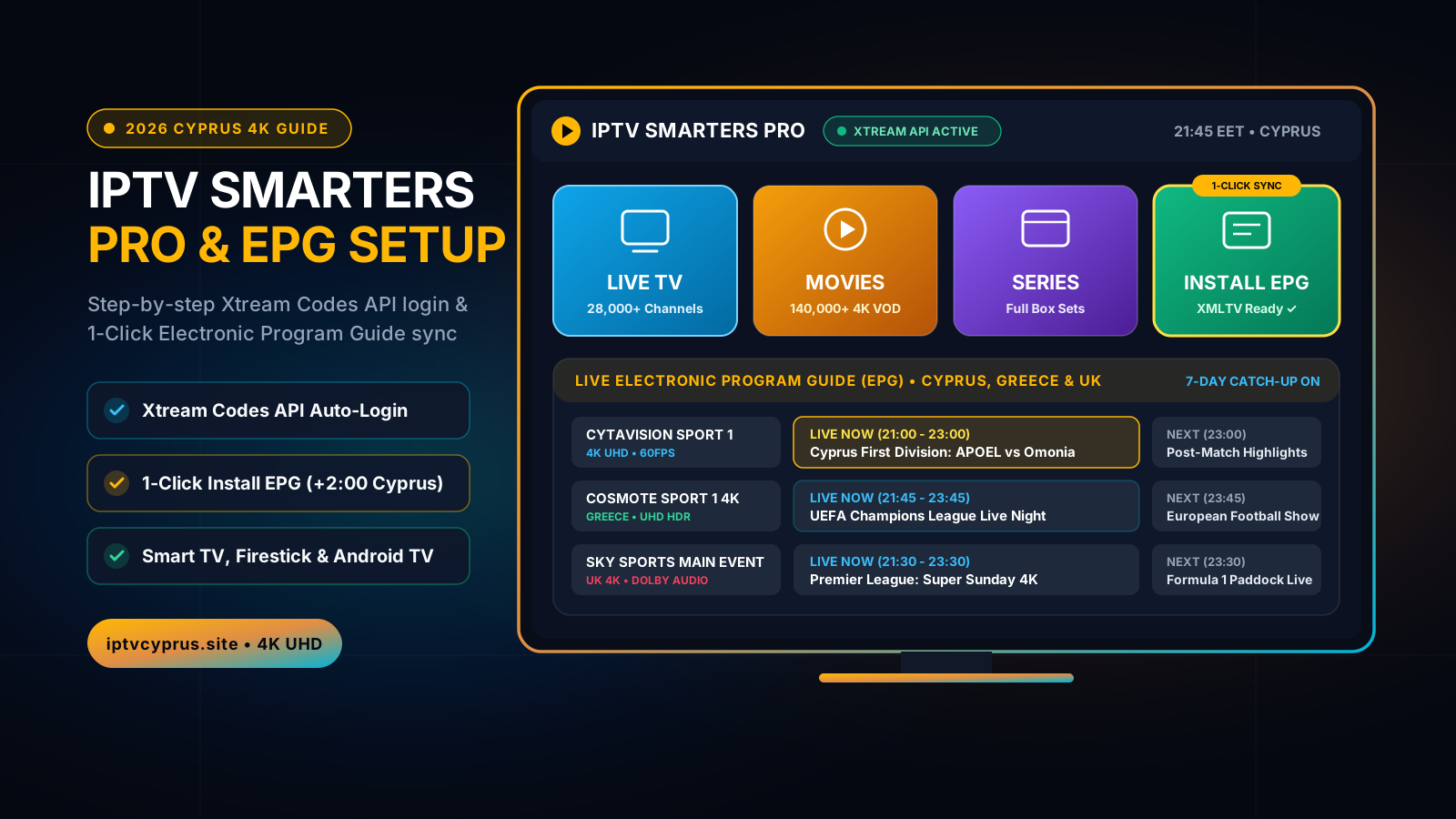
If you have just downloaded IPTV Smarters Pro on your Samsung or LG Smart TV, Amazon Firestick, or Android TV box in Cyprus to watch Cytavision Sports, Cosmote Sport 4K, or Premier League matches, you already know how powerful the player is—when configured properly. Yet thousands of users run into the exact same roadblocks: playlist login timeouts, channels taking too long to load, or a completely blank TV Guide showing “No Information / EPG Not Found”.
In this complete technical tutorial, we explain step-by-step how to setup IPTV Smarters Pro in under 3 minutes, how to install EPG on IPTV Smarters Pro so your 7-day Electronic Program Guide syncs automatically with Cyprus time, and how to pair your player with the best official IPTV Cyprus subscription for 4K UHD streaming without buffering.
How to Setup IPTV Smarters Pro (Step-by-Step Guide)
Before adding your channels, it is essential to understand that IPTV Smarters Pro is a dedicated media player—it does not include built-in television channels on its own. To unlock live Cyprus, Greek, UK, and international channels, you connect the app to a high-speed server using the credentials provided by your IPTV provider.
1. Download & Open IPTV Smarters Pro on Your Device
Depending on the screen you use at home in Nicosia, Limassol, Larnaca, or Paphos, installation takes less than two minutes:
- Amazon Firestick & Android TV (Sony, TCL, Xiaomi, Nvidia Shield): Open the Downloader app from the official store, enter the official Smarters APK URL or code, and click Install.
- Samsung (Tizen) & LG (webOS) Smart TVs: Search for IPTV Smarters Pro (or Smarters Player Lite) directly in the Samsung Smart Hub or LG Content Store.
- iPhone, iPad, Apple TV & Windows/Mac: Download Smarters Player Lite from the Apple App Store or the official desktop installer for Windows 11 and macOS.
2. Login with Xtream Codes API (Recommended Setup Method)
When you launch the app for the first time, you will see several connection options (Load Your Playlist or File/URL vs. Login with Xtream Codes API). For the fastest channel loading and automatic EPG installation, always select Login with Xtream Codes API and fill in the 4 fields sent to your WhatsApp:
- Any Name: Type
IPTV Cyprus 4K(or any profile name you prefer). - Username: Enter the exact case-sensitive username provided with your subscription or 24h trial.
- Password: Enter your private activation password.
- Server URL (Portal): Enter the exact
http://...server address carefully (avoid adding an extra space at the end after a dot).
Click Add User. Within 5 to 10 seconds, IPTV Smarters Pro will authenticate your account and load the main dashboard featuring Live TV, Movies, Series, and Install EPG.
Xtream Codes API vs. M3U Playlist URL in IPTV Smarters Pro
| Feature | Raw M3U Playlist Link | Xtream Codes API (IPTV Cyprus 4K) |
|---|---|---|
| Setup & Login Speed | Long URL typing (prone to typos) | 4 short fields • Ready in 30 seconds |
| How to Install EPG | Requires separate XMLTV URL entry | 1-Click automatic EPG binding |
| 28,000+ Channels Loading | Heavy memory usage on Smart TVs | Instant category indexing & fast zapping |
| 140,000+ VOD & Subtitles | Often missing posters & synopsis | Full 4K covers, ratings & EN/GR subtitles |
| 7-Day Catch-Up / Replay | Not supported on standard M3U | Full 7-day sports & TV replay included |
| Daily Channel Updates | Manual file reload required | 100% automatic cloud sync |
How to Install EPG on IPTV Smarters Pro (Fix Missing TV Guide)
One of the most searched questions by Smart TV and Firestick users is how to install EPG on IPTV Smarters Pro when channels show “No Program Information”. The Electronic Program Guide (EPG) is what displays current and upcoming broadcasts, kick-off times for Cypriot First Division, Champions League, and Premier League matches, and enables 7-day Catch-Up.
Method 1: 1-Click EPG Installation via Xtream Codes (Recommended)
Because Xtream Codes API links your account directly to our XMLTV server, you do not need to type a separate EPG link:
- From the main IPTV Smarters Pro home screen, look right below the Live TV and Movies tiles and click on Install EPG (or Download EPG).
- Wait 15 to 30 seconds while the progress bar downloads the 7-day schedule for Cypriot, Greek, UK, and international channels.
- Once it says “EPG Updated Successfully”, open Live TV or Live with EPG—every channel will now display real-time program titles and timelines.
Method 2: How to Refresh EPG & Fix Cyprus Time-Shift (+2:00 EET)
If your EPG stops updating after several weeks or displays UK/European broadcast hours instead of Cyprus local time:
- Force Refresh EPG: Click the Settings (Gear Icon) in the top-right corner of IPTV Smarters Pro → select EPG → click Refresh EPG to clear old cached schedules and pull fresh data.
- Set Cyprus Time-Shift Offset: Go to Settings → EPG → EPG Time Shift. If your Greek and Cypriot schedules are already aligned, leave it at
0; if a foreign bouquet shows a 1 or 2-hour difference, adjust the offset (e.g.+1or+2) so every kick-off matches Nicosia and Limassol time.
The 4 Hidden Causes of Buffering & EPG Errors on IPTV Smarters Pro
Even with a fast fiber connection, four common configuration mistakes can ruin your viewing experience on IPTV Smarters Pro:
By default, some TVs decode 4K 60fps streams in Software mode, overloading the TV processor and causing audio lag or frame drops during live football.
Free or low-tier playlists put thousands of users on a single un-balanced server. As soon as a Champions League or APOEL derby starts, both the stream and the EPG server crash.
When your Firestick or Android TV runs low on storage, IPTV Smarters Pro cannot write the daily XMLTV EPG file, causing the TV guide to appear blank until you refresh the cache.
Standard router DNS settings can slow down playlist authentication and EPG fetching during busy weekend evenings unless switched to Cloudflare or Google DNS.
Pro Settings: How to Optimize IPTV Smarters Pro for 4K Zero-Buffer TV
Once you know how to setup IPTV Smarters Pro and how to install EPG on IPTV Smarters Pro, apply these three pro tweaks to guarantee instant channel zapping across Cyprus:
1. Enable Hardware Decoder & Optimal Stream Buffer Size
Open Settings → Player Settings inside IPTV Smarters Pro and switch from Software Decoder to Hardware Decoder (HW). Next, open Settings → Stream Format and ensure MPEGTS (.ts) is selected for live sports stability, with Buffer Size set to Medium (30–50).
2. Configure Neutral DNS (Cloudflare 1.1.1.1 or Google 8.8.8.8)
In your Smart TV or Firestick Wi-Fi/Ethernet network settings, set Primary DNS to 1.1.1.1 (Cloudflare) and Secondary DNS to 8.8.8.8 (Google Public DNS). This ensures your Xtream Codes login and EPG refreshes resolve in milliseconds on Cyta Fiber, Cablenet, Epic, and PrimeTel.
3. Pair Your App with Our Dedicated IPTV Cyprus 4K Infrastructure
At IPTV Cyprus, our servers are engineered specifically for viewers across Cyprus. You get instant access to +28,000 live channels (Cytavision Sports 1–8, Cablenet Sports, Cosmote Sport 4K, Nova Sports, Sky Sports UHD, TNT Sports) and +140,000 VOD movies & series with Greek and English subtitles. Explore our 4 tailored IPTV Cyprus subscription editions or read our Turkish buyer's guide on IPTV Satın Al (Kıbrıs & Avrupa 4K Paketleri).
How to Test IPTV Smarters Pro with a 24-Hour Free Trial in 3 Steps
You never have to subscribe blindly or enter credit card details. You can test our 4K streams and full EPG directly on your own IPTV Smarters Pro app today:
- Visit our 24-Hour Free Trial section or click any WhatsApp button on this page.
- Let our support engineer know which device you are using (Samsung/LG Smart TV, Amazon Firestick, Android TV, or iPhone/iPad).
- Receive your ready-to-use Xtream Codes API + EPG login details in under 3 minutes and test live 4K sports and cinema completely risk-free.
Frequently Asked Questions: IPTV Smarters Pro Setup & EPG
How do I install EPG on IPTV Smarters Pro if my TV guide says "No Information"?
When you log in to IPTV Smarters Pro using Xtream Codes API, your EPG URL is linked automatically. Simply click the "Install EPG" tile on the main dashboard (or go to Settings > EPG > Refresh EPG) and wait 15–30 seconds for the XMLTV schedule to download. If times look shifted in Cyprus, set the EPG Time Shift to +2 hours (EET) in Settings.
What is the best way to setup IPTV Smarters Pro: Xtream Codes API or M3U URL?
Xtream Codes API is strongly recommended over a raw M3U URL. Xtream Codes loads 28,000+ live channels and 140,000+ VOD titles faster, automatically binds your Electronic Program Guide (EPG), and prevents app crashes on Smart TVs and Amazon Firestick.
Is IPTV Smarters Pro free to download in Cyprus?
Yes, the IPTV Smarters Pro player app is free to download on Android TV, Amazon Firestick, iOS, Windows, and Mac, as well as compatible Samsung Tizen and LG webOS Smart TVs. Remember that the app itself does not provide channels—you need a verified subscription from IPTV Cyprus to unlock live TV, sports, and VOD.
Why does IPTV Smarters Pro buffer on some playlists and how do I fix it?
Buffering usually happens when using overloaded public playlists or incorrect player decoding settings. In IPTV Smarters Pro, go to Settings > Player Settings and switch to "Hardware Decoder (HW+)", set Buffer Size to "Medium (30s)", and pair the app with our private IPTV Cyprus Anti-Freeze 9.0 servers.